

Issue · 02
The research happened on the walk
August 20, 2026
This week from Catey
We're moving to DC, which means my to-do list currently has its own to-do list. Near the top: find a nanny in a city where I don't know a single agency, a single family, or what anyone even pays.
I dealt with it on the walk to a workout class.
 Where the thinking actually got done.
Somewhere in the first block or two, I took out my phone, tapped the microphone, and talked: benchmark nanny compensation for DC, research the top agencies there, rank them with pros, cons, and pricing, tell me which ones are worth contacting, then draft an intro email and pull the contact information for each.
That was basically the whole walk.
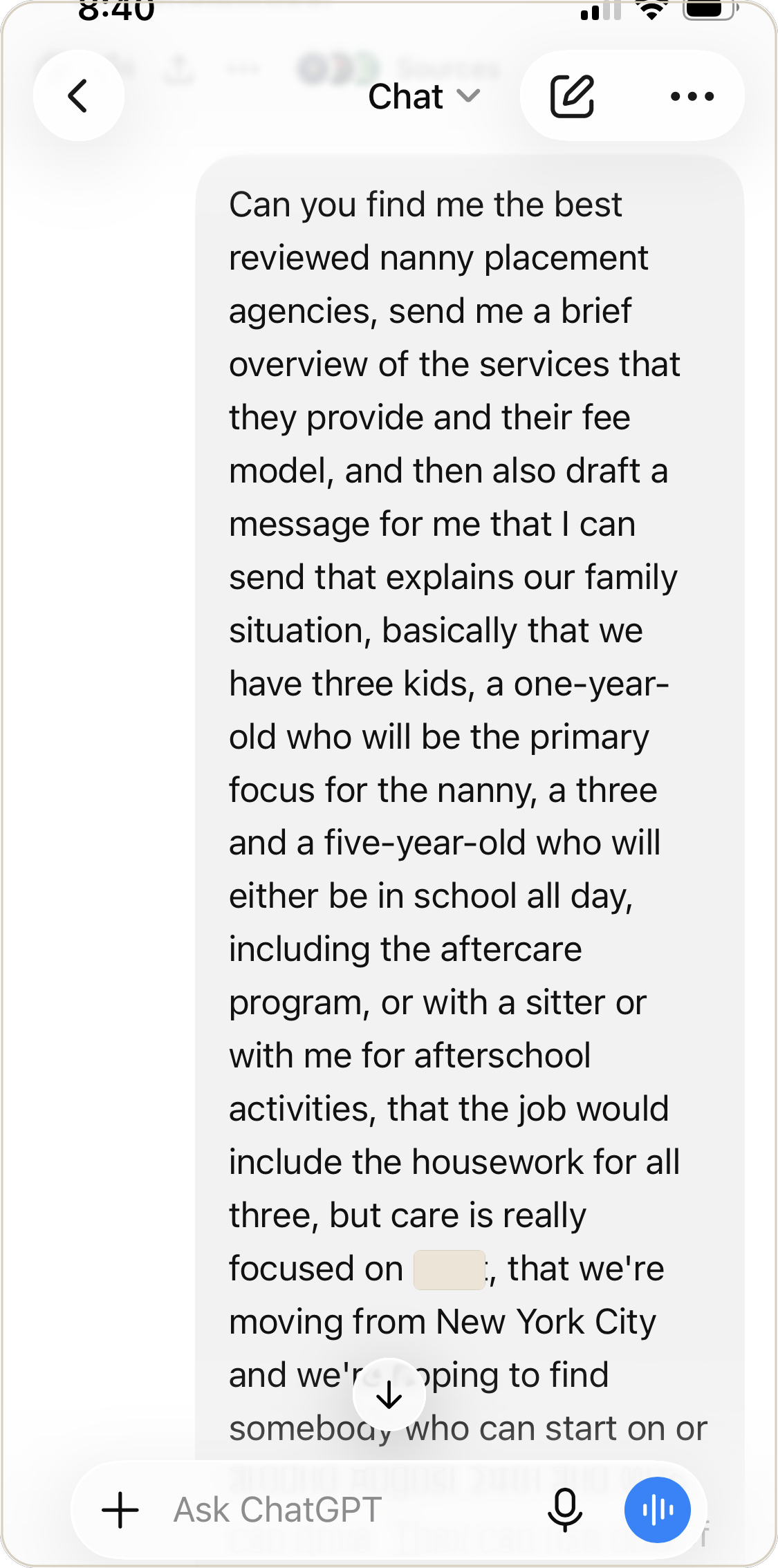 The whole request, said out loud. No perfect prompt, just the messy version.
When I got back to my computer, the finishing work was waiting. I read the email, made one small edit, and sent it to each of the three recommended agencies. A couple more minutes, maybe.
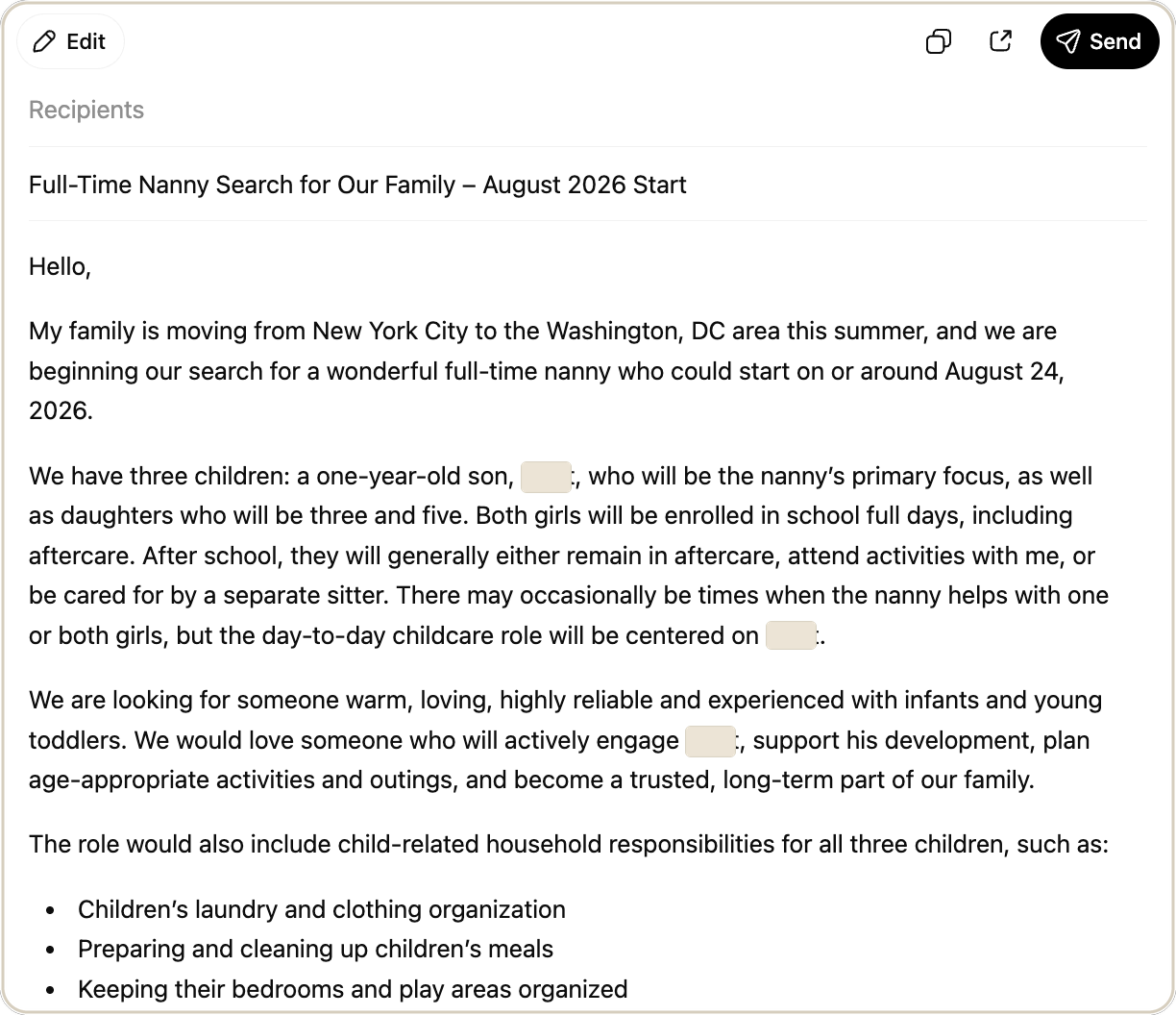 Back at my desk: the draft it wrote. One small edit, then sent.
Doing this myself would have meant sitting down to research agencies, compare them, figure out which ones seemed worth contacting, find their information, and then write an email to a bunch of strangers. An hour or two of focused time, easily. Instead, I spent about three minutes talking while I was already walking somewhere, then a few minutes reviewing the work later.
The part I've kept using since is that split: the thinking and delegating can happen while I'm on the go. The reviewing and finishing waits until I'm back at my computer.
Voice makes a surprisingly big difference here. Typing a long, coherent prompt on my phone is annoying enough that I usually won't do it. Talking is different. I don't have to compose the perfect request. I can just describe the problem out loud, including all the messy context I would probably leave out if I were typing with my thumbs.
And once I started noticing the kinds of tasks that work well this way, I saw them everywhere. Research some summer camps, compare them, tell me which ones fit our schedule. Find pediatricians near our new house, look at reviews and logistics, give me a shortlist. Compare moving quotes and flag the differences I should actually care about.
The annoying family-admin tasks where you have to figure out your options before you can even start doing the thing.
Not that the AI's ranking was the last word. Of the three agencies it recommended, one showed up ten minutes late to our call and left me underwhelmed enough that I'd ruled them out before we hung up.
Real attempt: it got me three real, contactable options in a few minutes. It couldn't tell me which one would actually be worth my time.
So I still checked the work. I ran the compensation benchmarks against what I'd heard from friends, and I read the email before sending it because it was going to real people with my name on it. I want AI doing the legwork. I still want to make the decision.
Now, when I have a walk or ten minutes of otherwise unusable time, I'm starting to look for one of those tasks before I default to scrolling.
Next time you're walking somewhere, tap the microphone instead of typing and try today's prompt below.
Tested in Real Households ✓
The insurance email I didn't want to read
Our moving insurance confirmation arrived as a very long email full of coverage rules, declared values, shipment weights, and things I was fairly sure I should not ignore.
The prompt
I pasted the whole thing in and asked: "What is important for me to know from this?"
It pulled out the few things that actually required my attention, including making sure our coverage kept pace with the final shipment weight and separately listing higher-value items.
The honest verdict
Useful, but I'd make my prompt better next time. "Summarize this" gives you a summary. What I really wanted was: read this and tell me what I need to do, what could cost me money if I miss it, and what is just informational. Much better question for the next 1,000-word email I don't want to read.